See the portfolio. Open one client at a time.
An agency workspace groups websites into client projects. Your team can move between sites while client members remain scoped to the project assigned to them.
Each site has its own sources, conversations, leads, and knowledge gaps. This separation is useful when different clients use similar terminology but have different services, prices, or policies.
One site or a whole portfolio. Client websites become projects in one agency workspace. Your team works across the portfolio, each client sees only their own project, and the assistant can carry your brand instead of ours.
Narrated in an AI voice. The interface is recreated for film from Sairo’s own screens and copy; the businesses, visitors and figures are fictional examples.
Read the transcript
- One agency, every client
You don’t run one website. You run everybody’s. So Sairo groups them. One agency workspace, every client in their own project. Open a client and you get their site, and only their site.
- Each site verified and kept separate
Every client website is verified on its own, and crawled on its own allowance. Its own sources. Its own conversations. Its own leads. Its own knowledge gaps. Nothing leaks between them, because nothing is shared between them.
- The right access, by design
Your team moves across the whole portfolio. Your client doesn’t. Invite them into one project and that is all they will ever see. They can still contribute. Approved answers for their own site, without touching your configuration or your billing. When a client leaves, you remove one membership. Not a spreadsheet of logins. Access follows the workspace and the project. Not a setting you have to remember to switch on.
- Live chat per website
Live chat is assigned per website. You pick who covers which client, and they choose when they’re available. When a visitor is waiting, the desk tells whoever is on.
- Themes and white-label
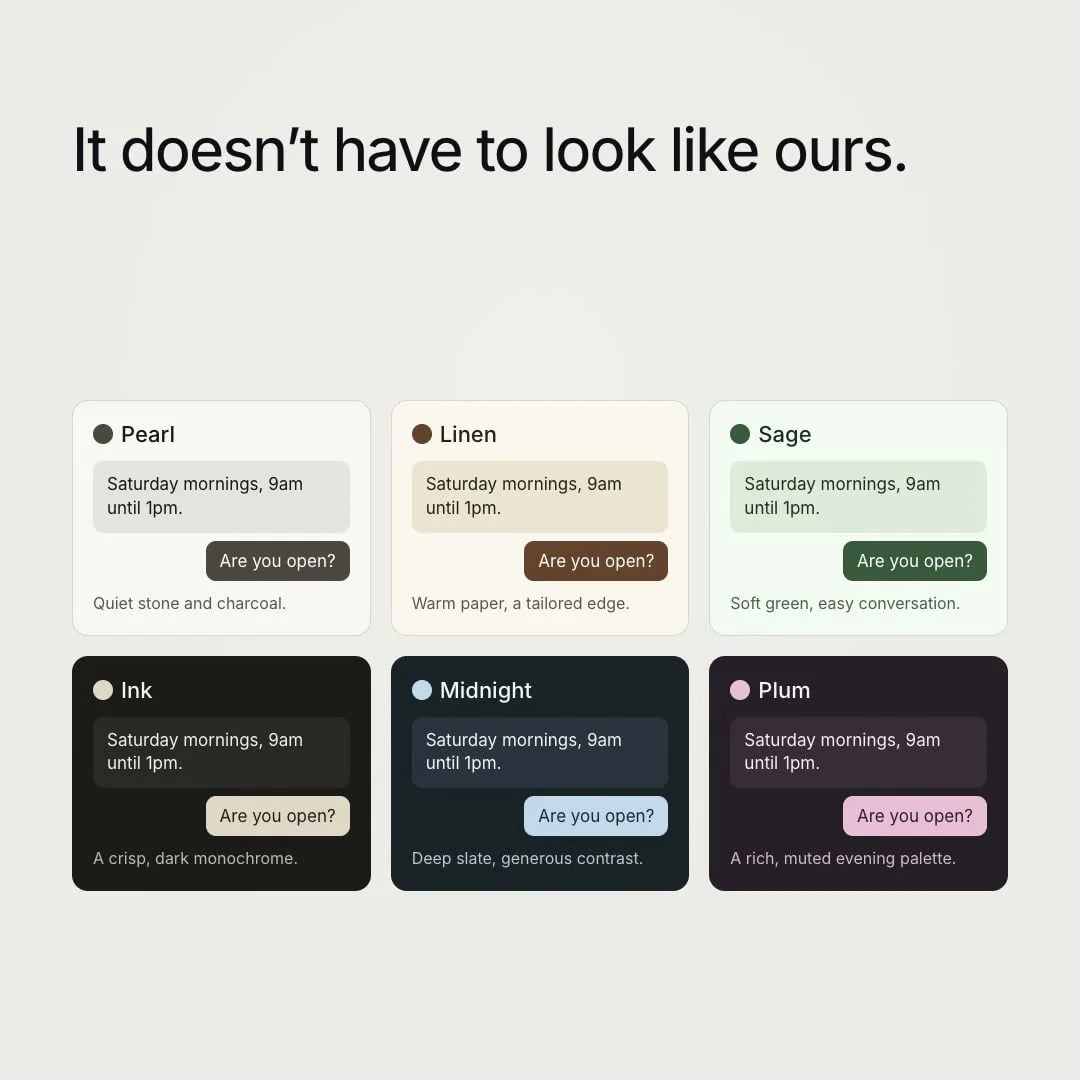
And the assistant does not have to look like ours. Six themes out of the box, or your own colours, checked for contrast as you set them. Then the part clients actually notice. Your name, your colour, your support address, and our mark gone.
- Domains, settings and usage
Give each client their own domain for the chat, so even the address belongs to them. Give each of them their own reply language, their own hours, their own tone. And the usage sits in one place, so you can see which client is actually busy.
- A repeatable rollout
Roll it out with the same checklist every time. One verified site, review the sources, test the questions that matter, check it in their theme. Then do the next client. Sairo. One site, or a whole portfolio.
Let the right people improve answers and take chats.
Clients can be given permission to contribute knowledge without gaining the agency’s configuration or billing controls. Approved answers then become part of that site’s knowledge.
An administrator can assign eligible workspace members as live chat specialists for a particular site. Project scope still applies, keeping client conversations with the people authorised to see them.
Ask Sairo and connected AI applications follow those project boundaries. An account can review only its permitted websites. Select the intended client website before preparing a correction, and review each external application’s workspace scope during connection.
- Project-scoped invitations
- Per-site live chat specialists
- Optional client content contribution
- Agency and client branding controls
Roll out with a repeatable checklist.
Start with one client’s verified website. Review sources, configure the assistant, test important questions, and check the widget in the client’s actual theme.
If live chat is enabled, test the site with a specialist online and offline. Add more sites as you learn, choosing coverage and permissions separately for every client.
Give each client a separate answer-quality acceptance set.
Use the same review method across the portfolio, with each client’s own expected facts and source pages. Two similar businesses may have different service areas, minimum charges, taxes and handoff arrangements. Shared wording should not turn one client’s policy into another’s answer.
Record the website, approved source, question, expected result, observed reply, responsible person and review date. Retest that client’s critical questions after a source, price, model or branding change. Keep client approval of business information separate from your agency’s configuration access.