The interaction details matter.
The chat launcher has an accessible name. Opening and closing the widget manages focus, and Escape returns the visitor to the launcher. A separate polite announcement region reads complete reply sentences while the transcript stays available to browse.
Live chat states use words such as waiting, connected, and ended, and the specialist’s name identifies the speaker. Controls use generous targets, and reduced-motion preferences are respected.
Design intent is not a certification. A chatbot sits on top of someone else’s page, so it must not break that page’s accessibility. What the widget does, and what its conformance report says has not been established yet.
Narrated in an AI voice. The interface is recreated for film from Sairo’s own screens and copy; the businesses, visitors and figures are fictional examples.
Read the transcript
- Focus and keyboard
A website that welcomes more people. The chat launcher has an accessible name. Opening and closing the widget manages focus. Escape returns the visitor to the launcher. Focus goes where you would expect it to go, and you can see it when it gets there. Reduced motion preferences are respected.
- Announcements and live chat states
A separate polite announcement region reads the complete reply, once. The transcript stays where it is, so it can still be browsed. Live chat states use words. Waiting. Connected. Ended.
- Shadow DOM, controls and dictation
The widget uses Shadow DOM instead of an iframe. Every control has a name a screen reader can say, and a target big enough to hit. Dictation is optional, and it asks before it touches your microphone.
- The contrast checker
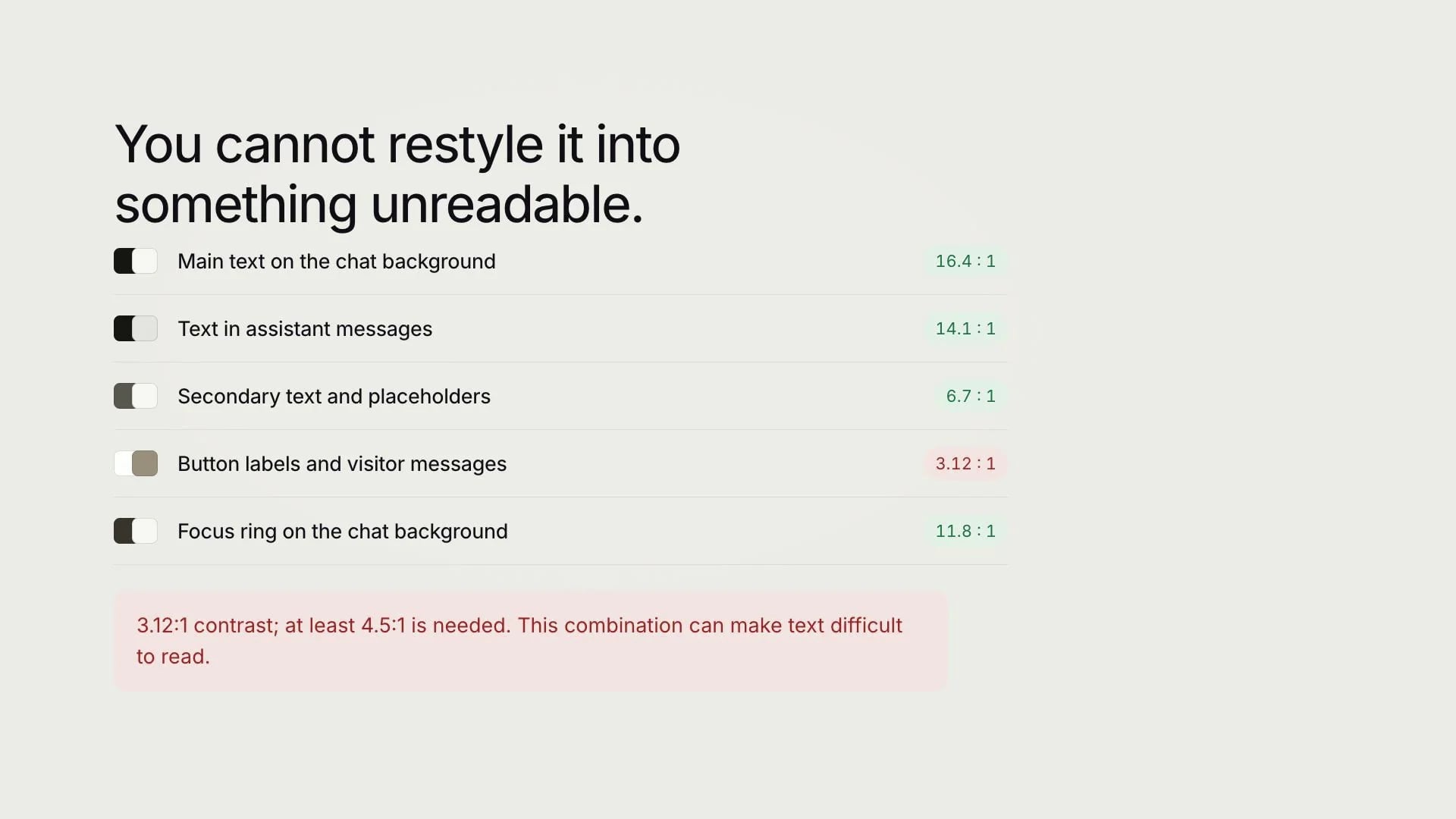
You can restyle it. You cannot restyle it into something unreadable. Every colour pair is checked as you set it, against the ratio it actually has to meet. Hide the launcher’s visible label and it will tell you that too.
- The conformance report
The conformance report uses the real terms. Supports. Partially supports. Full conformance has not been established. A chatbot cannot repair accessibility barriers elsewhere on your website. Design intent is not a certification.
- Named controls and keyboard operation
- Clear live chat status and speaker names
- Polite transcript announcements
- Reduced-motion support
An optional way to speak your question.
When enabled for the website and supported by the browser, dictation lets a visitor record a short question after granting microphone permission. Sairo converts the recording to text and inserts it into the composer so the visitor can check or edit it before sending.
Typing remains available. This is speech-to-text input, not a telephone service or a spoken conversation with the assistant. Availability depends on site settings, the configured transcription provider and the workspace’s dictation allowance. Test microphone permission, recording status and the typing fallback in your own website.
Test the widget as part of the whole page.
A widget can interact with sticky navigation, consent banners, zoom, and other fixed elements. Test the installation in your website’s actual layout, including narrow screens and enlarged text.
The widget uses Shadow DOM instead of an iframe. Its accessible relationships stay within the same component boundary; this does not remove the need to check the resulting experience with assistive technology.
Design intent is not a certification.
Sairo targets relevant WCAG 2.2 AA interaction requirements. The accessibility statement and VPAT-based draft report describe the current review and the manual validation still needed. Full conformance has not been established.
A chatbot cannot repair accessibility barriers elsewhere on your website. Include the assistant in your normal audit, document the tested browsers and assistive technologies, and report any issue through the contact form.